
Sysinternals Suite Review: Essential Windows Diagnostics
Read our comprehensive review of the Sysinternals Suite Windows diagnostics toolkit to discover how these advanced utilities help troubleshoot Windows systems.
The Sysinternals Suite Windows diagnostics toolkit is the ultimate collection of administrative utilities designed to give you complete visibility into your operating system. Developed by Microsoft Corporation, this completely free bundle of tools offers unmatched depth for troubleshooting, debugging, and managing Windows environments.
What Can You Actually Do with Sysinternals Suite Windows Diagnostics?
Instead of relying on basic built-in system tools, this suite provides granular control and real-time monitoring capabilities. Here is how you can practically apply these tools to solve everyday system issues:
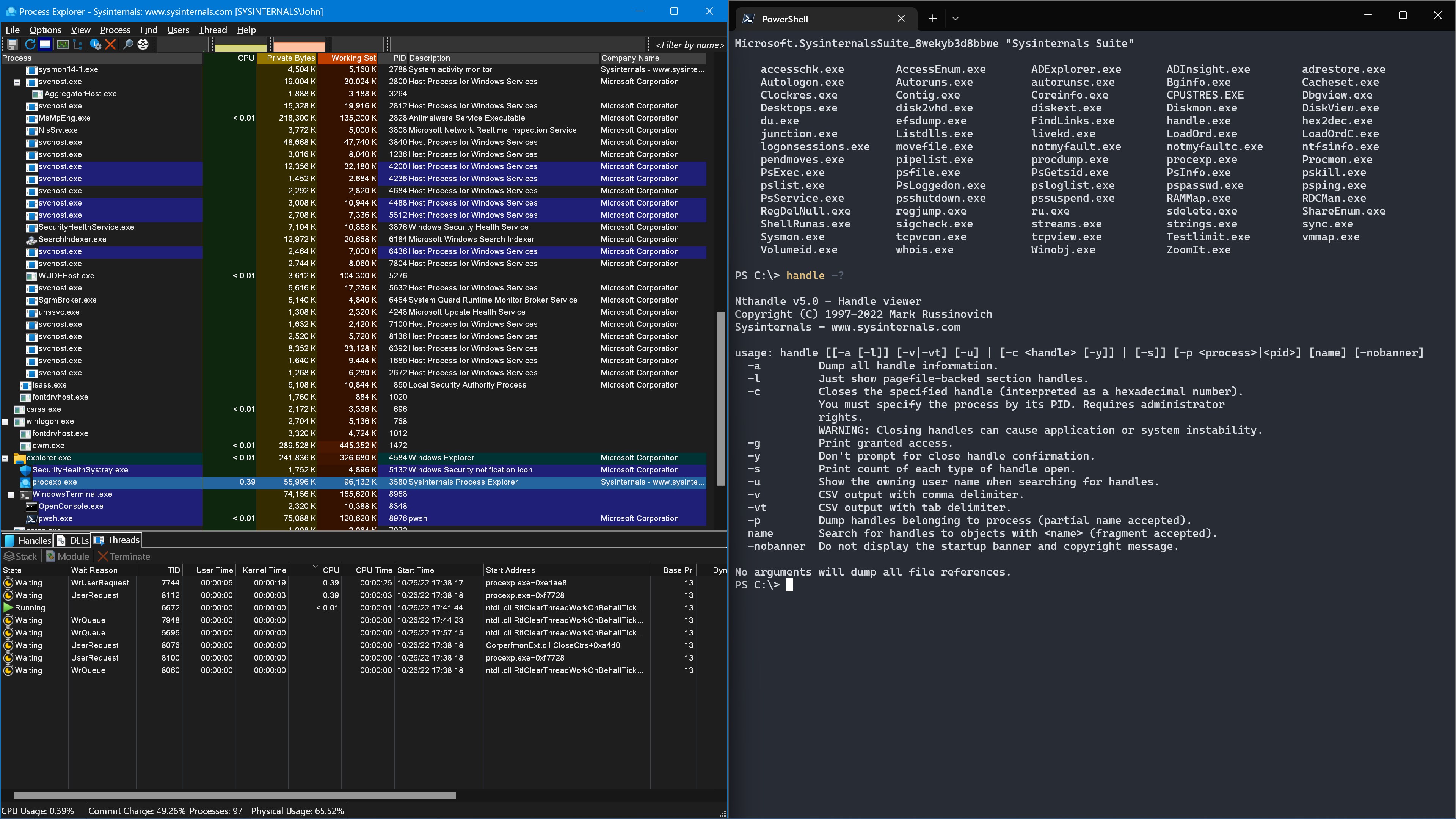
- Analyze Active Processes: With Process Explorer, you can move far beyond the standard Task Manager. You can track down which handles or DLLs a program has opened, debug application hangs, and see precise CPU and memory usage statistics for individual threads.
- Monitor File and Registry Activity: Process Monitor offers a real-time troubleshooting canvas. It captures file system, Registry, and process activity, allowing you to instantly pinpoint why an installer is failing or which configuration file a program is trying to access.
- Audit Autostart Programs: Autoruns lets you inspect every single application, service, driver, and scheduled task configured to start during boot. It helps you identify resource hogs and clean up unnecessary background startup items.
- Deep System Monitoring: Using Sysmon, you can monitor system activity across reboots to detect anomalies, track network connections, and log crucial security events to the Windows event log.
- Command-Line Automation: The collection includes the powerful PsTools command-line utilities, enabling administrators to manage processes, execute commands, and query information on remote systems seamlessly.
Diagnostic Utilities for Every Scenario
Whether you need to dump process memory during a crash using ProcDump, securely delete files using SDelete, or analyze active network connections via TCPView, the suite has a specialized tool for almost every scenario. It also contains useful visual utilities like ZoomIt for presentations and BGInfo for displaying system information directly on your desktop background.
Who Benefits from These Advanced Tools?
This suite is an indispensable resource for IT professionals, system administrators, security analysts, and software developers who require deep technical insights into Windows behavior. However, power users looking to optimize their home PCs will also find the diagnostic capabilities incredibly valuable for resolving performance bottlenecks.
Acquiring the Suite Safely
To explore these powerful utilities and elevate your troubleshooting workflow, we recommend visiting the official Microsoft Store to view the application details and add the suite to your system.